
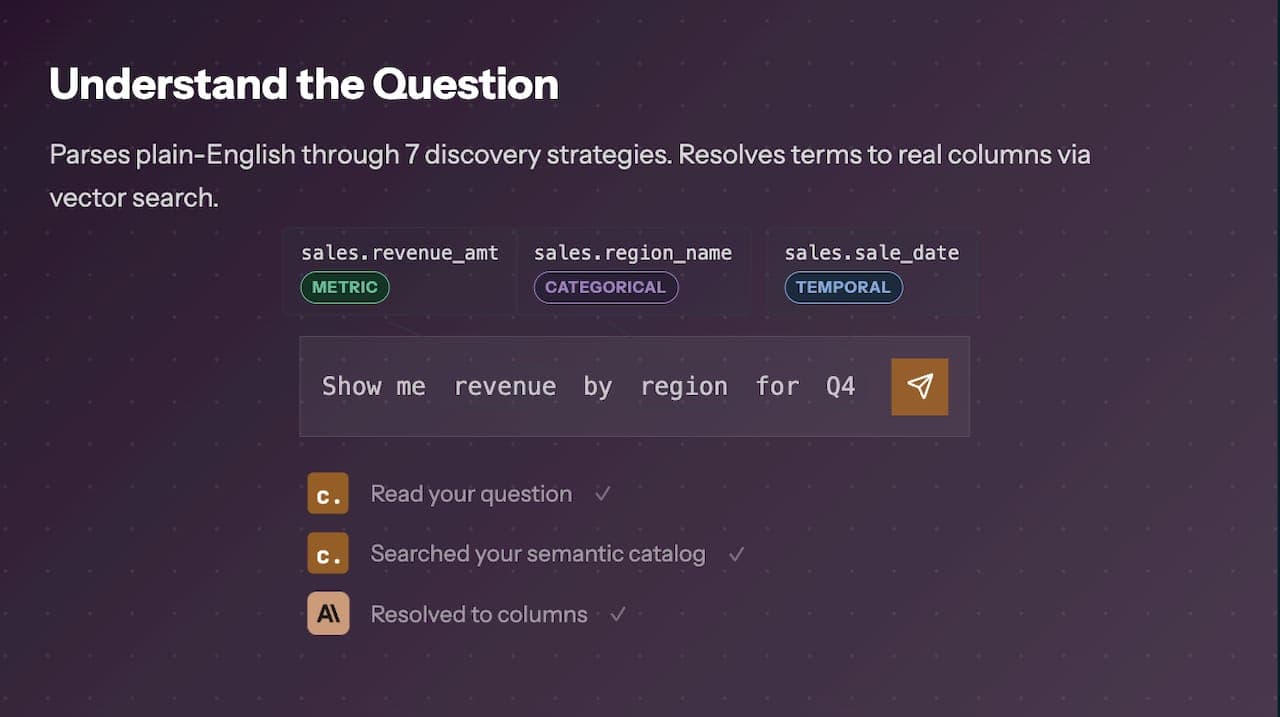
Business analysts at mid-sized and large enterprises face a persistent bottleneck: the data they need is locked behind SQL, a query language most of them were never trained to write. The ability to ask data questions without SQL knowledge is no longer a niche capability reserved for data engineers. Modern AI-native platforms and natural language query tools have made it possible for any analyst to interrogate governed datasets, retrieve aggregated insights, and surface trends using plain conversational language. This guide walks you through exactly what you need, how to execute queries, what can go wrong, and how to validate what comes back.
Table of Contents
-
Step-by-step: how to ask data questions using no-code and natural language tools
-
Common challenges and how to troubleshoot when querying data without SQL
-
What to expect: interpreting and validating results from SQL-free queries
-
Why mastering SQL-free data querying is a game-changer for business analysts
-
Explore AI-powered tools that let you ask data questions without SQL
Key Takeaways
| Point | Details |
|---|---|
| No SQL needed | You can ask data questions using natural language tools that translate queries into SQL behind the scenes. |
| Prepare access | Ensure you have governed and structured data sources connected to your query tool for accurate answers. |
| Clear questions | Formulate specific and unambiguous questions to get meaningful insights from AI analytics platforms. |
| Validate results | Always cross-check query answers with known reports or dashboards for accuracy. |
| Leverage AI tools | Use AI-powered platforms like Chion to enable easy, secure, and verified data querying without coding skills. |
What you need to ask data questions without SQL knowledge
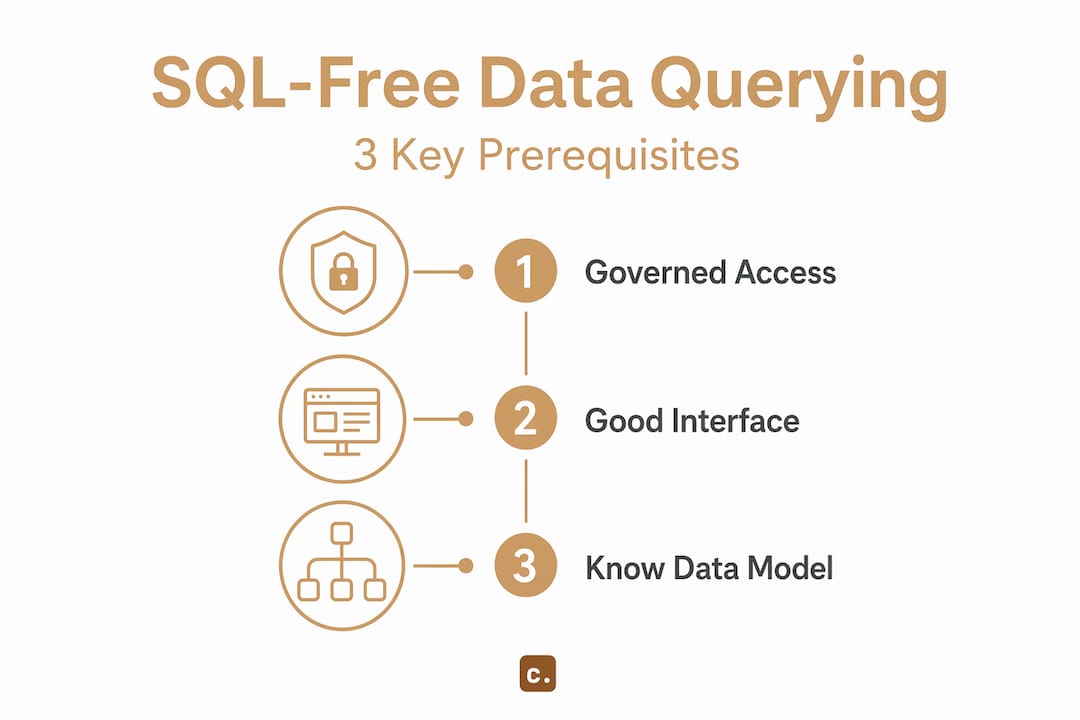
Before you type your first natural language query, three foundational elements must be in place: governed data access, a capable query interface, and a working understanding of your data model.
Governed data access means your organization has structured, curated datasets or semantic models that a natural language tool can interpret reliably. Raw, unmodeled tables produce inconsistent results because the tool has no semantic context for what fields mean or how they relate. Semantic models, data warehouses with documented schemas, or curated datasets in platforms like Microsoft Fabric give the underlying AI agent a structured surface to work against.
A capable query interface is the tool that sits between your question and your data. These interfaces range from spreadsheet-embedded AI functions to fully dedicated verified AI SQL analytics platforms that translate natural language into deterministic SQL, DAX, or KQL queries behind the scenes. Fabric Data Agents operate over curated, structured data and enable natural language queries without requiring SQL knowledge, making them a practical reference point for what governed query interfaces look like in enterprise environments.
A working understanding of your data model does not mean you need to read entity-relationship diagrams. It means knowing what your key metrics are named, what dimensions exist (region, product, time period), and what granularity your data sits at (daily transactions vs. monthly summaries). That context directly improves the specificity of your questions.
Common tool categories for no-code data queries
| Tool category | How it works | Best for |
|---|---|---|
| AI data agents | Translates natural language to SQL/DAX/KQL | Enterprise governed datasets |
| Conversational analytics platforms | Chat-based interface over connected databases | Ad hoc business analysis |
| BI tools with natural language layers | Embedded NL query on top of dashboards | Report-centric exploration |
| Spreadsheet AI functions | AI-assisted formula generation | Smaller, tabular datasets |
The right tool depends on your data volume, governance requirements, and the complexity of questions you need to answer. For enterprise analysts working against large, multi-table data warehouses, AI data agents and conversational analytics platforms offer the most reliable results.
Step-by-step: how to ask data questions using no-code and natural language tools
With the right tools and access ready, here is how to practically ask your data questions. The process is more disciplined than it looks.
-
Identify the natural language interface integrated with your data tool. Not every BI platform or data warehouse has a conversational layer. Confirm that your tool supports natural language input, whether that is a chat panel, a search bar, or an embedded AI assistant. Conversational analytics platforms purpose-built for this use case tend to produce more consistent results than general-purpose AI bolted onto existing BI tools.
-
Formulate clear, specific questions about your data. Vague questions produce vague answers. Instead of “How are sales doing?” ask “What were total sales by region for Q1 2026, broken down by product category?” The more your question mirrors the structure of the underlying data model, the more accurate the returned result.
-
Use the tool’s chat interface or prompt field to enter your question. Most platforms accept free-form text. Some provide autocomplete suggestions based on available metrics and dimensions, which you should use actively because they signal what the tool can reliably answer.
-
Review the results generated in natural language summaries, tables, or visual charts. The output format varies by platform. Some return a text summary with a supporting table; others render a bar chart automatically. Understand what format your tool defaults to and whether you can switch between formats.
-
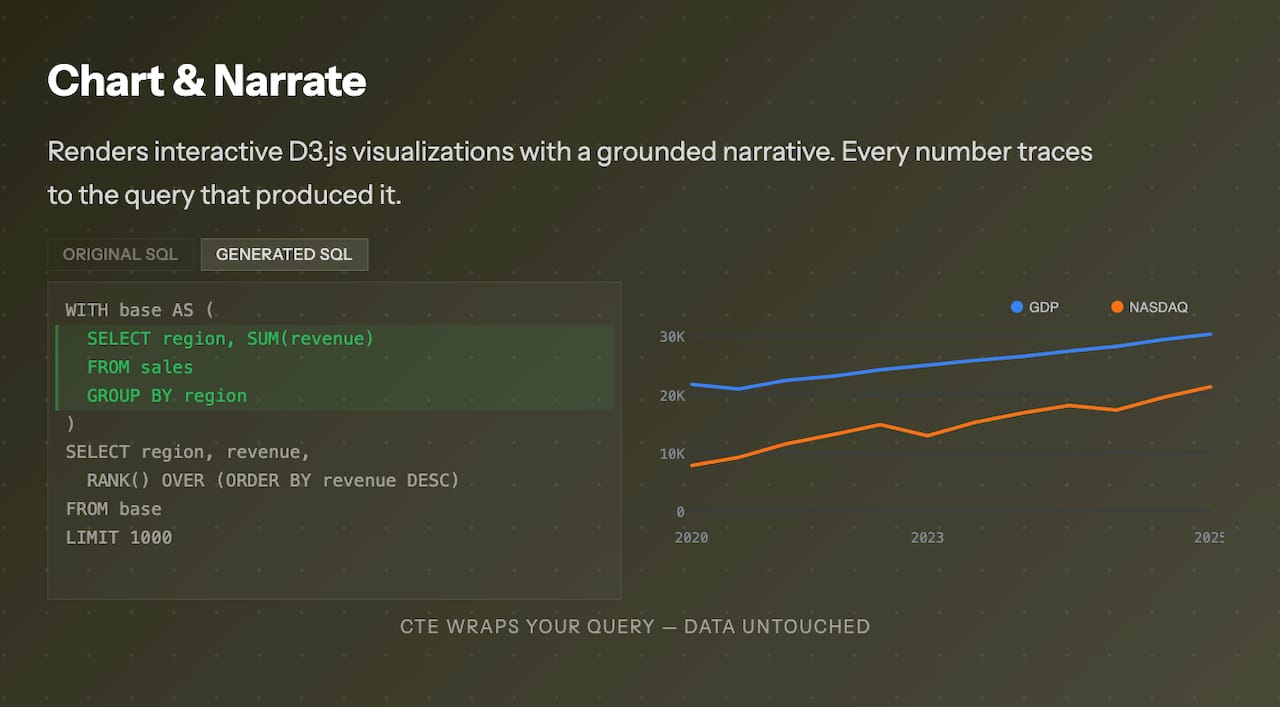
Iterate with follow-up questions or refine your query for clarity. If the first result looks off, do not discard the tool. Rephrase the question, add a time filter, or specify the metric more precisely. SQL query generator tools that expose the generated query alongside the answer let you verify exactly what the tool executed, which is valuable for building confidence in the output.
Pro Tip: Ask your tool to show you the underlying query it generated. If it supports this, you get a free learning opportunity: you can see how your natural language question maps to SQL logic, which gradually builds your data literacy without formal SQL training.
Fabric Data Agents use natural language to answer questions over governed data, without performing data mutations or requiring SQL expertise, which means the iteration loop is safe: you can refine questions repeatedly without risk of altering production data.
Common challenges and how to troubleshoot when querying data without SQL
Next, we address how to recognize and fix issues that arise during your queries. Even well-designed natural language tools produce incorrect or misleading results under specific conditions.
Ambiguous phrasing is the most common cause of incorrect results. When you ask “Show me top customers,” the tool must infer what “top” means: by revenue, by order count, by recency? Specify the metric and the ranking criteria explicitly in every question. Understanding how natural language to SQL works at the translation layer helps you anticipate where ambiguity creates risk.
Common troubleshooting scenarios and their fixes:
-
Unexpected aggregation level: The tool returns data at the wrong granularity (monthly instead of daily). Fix: specify the time grain explicitly in your question.
-
Missing data in results: The tool may be applying a default filter (current fiscal year, active records only). Fix: ask the tool to confirm what filters it applied, or explicitly state “include all records regardless of status.”
-
Metric mismatch: The number returned does not match your known dashboard figure. Fix: check whether the tool is using a different calculation definition for the same metric name.
-
Tool returns an error or no result: The question may reference a field or entity the tool’s semantic model does not recognize. Fix: use the tool’s suggested terms or consult your data team on the correct field names.
-
Dataset size limits: Some natural language tools cap the rows they process. Fix: apply filters to reduce dataset scope before querying, or use a platform designed for large-scale enterprise data.
“Users asking exploratory or analytical questions need transparency and insight without risk of unintended data changes.” This design principle is why the best enterprise-grade tools expose their query logic and apply read-only constraints by default.
Pro Tip: Build a short personal glossary of how your data model names key entities. For example, if your warehouse uses “account” instead of “customer,” using the wrong term in your question will consistently produce null results or mismatched data. Knowing your model’s vocabulary is the single highest-leverage habit for improving query accuracy.
What to expect: interpreting and validating results from SQL-free queries
Finally, let us look at how to make sense of the answers you get and ensure your insights are trustworthy. Returning a result is not the same as returning a correct result.
Result formats vary significantly across tools. Text summaries work well for single-metric answers (“Total revenue in Q1 2026 was $4.2M”). Tables are better for multi-dimensional comparisons. Charts are useful for trend identification. Know which format your tool defaults to and actively request alternatives when the default format obscures the pattern you are looking for.
Validation against known benchmarks is non-negotiable. Before acting on any insight from a natural language query, cross-check it against an existing report or dashboard you trust. If the numbers align, your confidence in the tool’s interpretation is justified. If they diverge, investigate the calculation logic before proceeding.
| Validation method | When to use it | What it confirms |
|---|---|---|
| Compare to existing dashboard | Always, on first use | Metric definition alignment |
| Run the same question two ways | When results seem off | Query interpretation consistency |
| Ask for the underlying query | When precision matters | Exact filters and aggregations applied |
| Consult data team on divergence | When numbers cannot be reconciled | Data model or governance issue |
Implicit calculations are a common source of confusion. Many tools apply aggregations (SUM, AVG, COUNT) and filters (date ranges, active status) without surfacing them in the result. Fabric Data Agents return answers using SQL, DAX, or KQL under the hood but do not modify data, ensuring safe insight generation. Platforms that expose the generated query alongside the result give you full auditability, which is the standard you should hold enterprise tools to.
Use the insights you retrieve as a starting point, not a final answer. When a natural language query surfaces an unexpected trend, that is the moment to engage your data engineering team for a deeper, validated analysis. SQL query generation for analysts that surfaces the underlying query makes that handoff to technical teams far more efficient, because you arrive with a concrete, executable query rather than a vague observation.
Why mastering SQL-free data querying is a game-changer for business analysts
Here is a perspective that most articles on this topic avoid: the real value of SQL-free querying is not convenience. It is the redistribution of analytical capacity across an organization.
When business analysts can ask data questions independently, without filing a ticket with a data engineer or waiting for a scheduled report refresh, the feedback loop between question and decision compresses dramatically. A product manager who can query last week’s feature adoption data in 90 seconds makes a different kind of decision than one who waits three days for a report. That speed differential compounds over months and quarters.
But there is a discipline shift required that most adoption guides understate. SQL-free querying does not eliminate the need for data literacy; it redirects it. Instead of learning syntax, you learn precision of thought. The analyst who asks “What drove the 14% drop in conversion rate for mobile users in the Southeast region during February 2026?” will get a useful answer. The one who asks “Why are conversions down?” will get noise. The skill being developed is structured thinking about data, not coding.
AI-powered SQL analytics platforms that operate on semantic layers accelerate this shift because they enforce a governed vocabulary. When your tool only recognizes terms from a curated semantic model, you are implicitly learning the authoritative language of your organization’s data. That is a form of data literacy that static dashboards never produced.
The analysts who will have the most impact in the next three years are not those who learn SQL late. They are those who become fluent in formulating precise, structured questions and who know when a natural language result is trustworthy versus when it needs engineering validation. That combination, precision questioning plus critical validation, is the new core competency for data-driven professionals in enterprise environments.
Explore AI-powered tools that let you ask data questions without SQL
To put these insights into action, consider exploring tools like Chion that empower you to ask data questions without SQL.
Chion AI SQL analytics is an AI-native semantic layer platform that generates a workforce of skills, agents, and chatbot experiences to drive business insights directly from your connected database. You connect your data source, upload query context and artifacts, and ask questions in plain language. The platform returns analytical responses, surfaces query findings, and lets you export metadata into other LLM products.
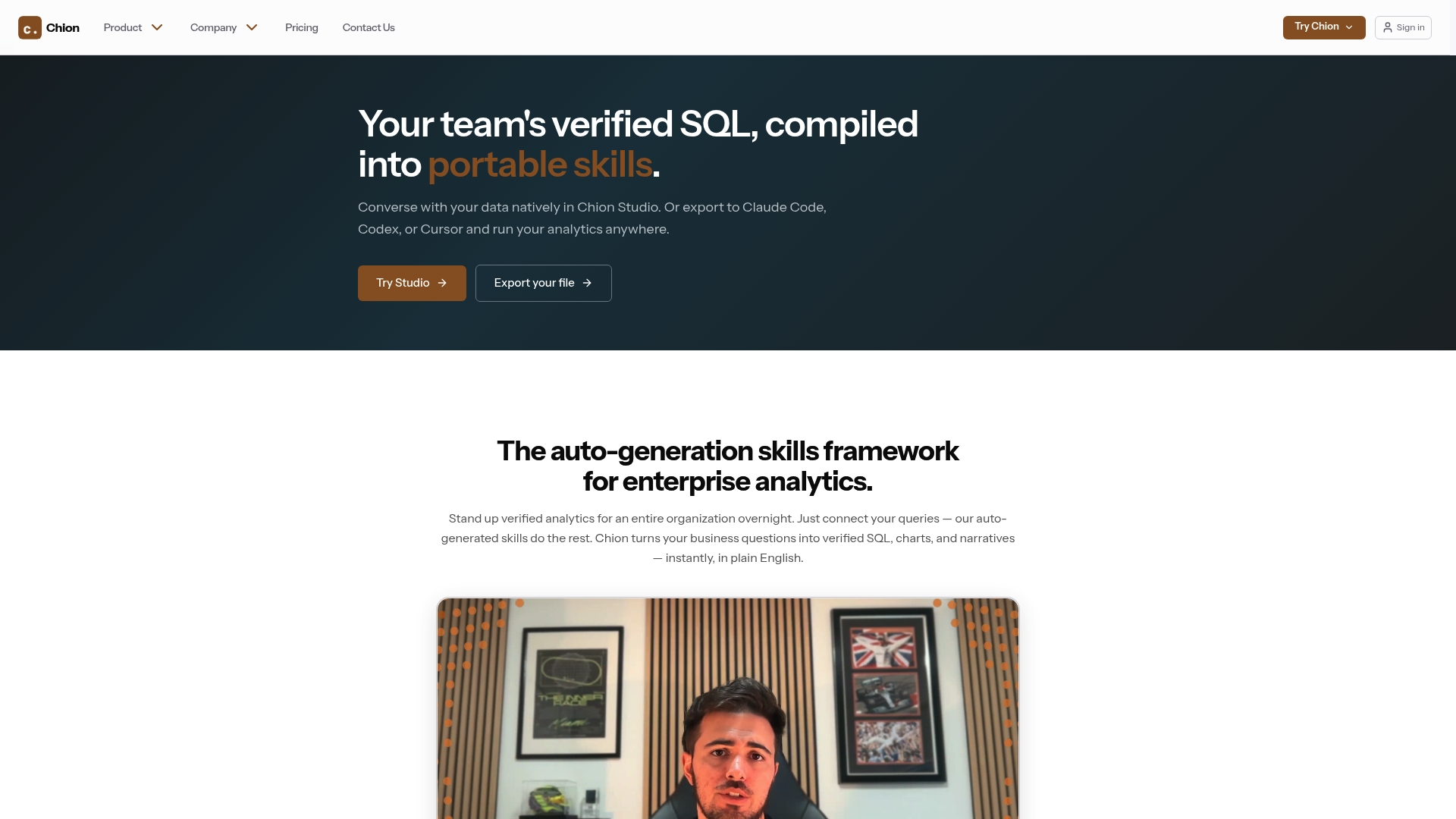
Conversational analytics with Chion integrates with PostgreSQL and other enterprise data platforms in read-only mode, ensuring your production data is never at risk. Business analysts get instant, verified SQL-backed insights without writing a single line of code, and the platform’s visualization layer turns query results into clear, shareable charts. Explore the SQL query generator for analysts to see how Chion maps natural language to deterministic SQL queries, with pricing plans designed for enterprise data teams.
Frequently asked questions
Can I really analyze data without learning SQL?
Yes, modern tools like natural language data agents and no-code platforms let you analyze data by asking questions in everyday language without writing SQL. The translation to SQL, DAX, or KQL happens automatically under the hood.
What kinds of data questions can I ask without SQL knowledge?
You can ask about trends, aggregates, comparisons, counts, and basic filtering questions, as long as the data model supports these operations. Fabric Data Agents operate over governed data models to answer exploratory and analytical questions using natural language, covering most standard business analysis use cases.
Are SQL-free query tools safe to use with sensitive enterprise data?
Yes. Tools like Fabric Data Agents use read-only access to governed data and do not perform any data mutations, meaning create, update, and delete operations are explicitly blocked to ensure data security and compliance.
How can I improve the accuracy of answers when using natural language query tools?
Being clear and specific in your questions, understanding your data model’s vocabulary, and cross-checking results against existing reports are the three most reliable practices for improving accuracy and building trust in the insights you receive.